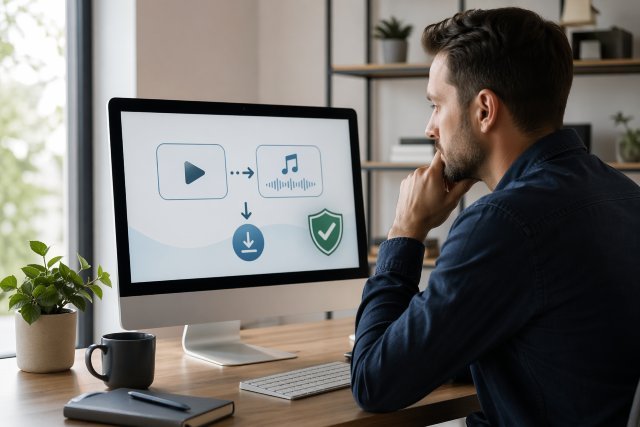
A YTMP3 Converter is a popular online tool people search for when they want to convert a YouTube video into an MP3 audio file. It sounds simple: paste a YouTube link, click convert, and download the audio. But the real question is not only whether it works. The bigger question is whether it is safe, legal, and worth using.
Many users turn to YouTube to MP3 converters for music, podcasts, lectures, interviews, background audio, and offline listening. However, these tools can carry security risks, copyright concerns, intrusive ads, misleading buttons, pop-ups, and privacy issues.
This detailed YTMP3 Converter review explains what these tools do, how they work, what risks to watch for, and how to use online audio conversion tools more safely.
What Is a YTMP3 Converter?
A YTMP3 Converter is usually a web-based tool that claims to convert YouTube videos into MP3 audio files. Instead of downloading a full video, the tool extracts the audio and gives users a downloadable MP3 file.
Most YTMP3-style websites follow a simple process. You copy a YouTube video URL, paste it into the converter box, choose MP3 format, wait for processing, and then download the file.
The appeal is obvious. MP3 files are smaller than videos, easy to store, and compatible with phones, computers, tablets, and music players. That makes these tools attractive for users who want offline audio without keeping the full video.
However, convenience does not always mean safety. Many free converter websites rely on aggressive advertising, redirects, fake download buttons, or bundled software offers. Google’s unwanted software policy warns that risky software may trick users into installing programs, make unexpected system changes, or collect private information without clear disclosure.
How Does a YouTube to MP3 Converter Work?
A YouTube to MP3 converter takes a video link and processes the audio stream into an MP3 file. In simple terms, the tool separates the sound from the video and compresses it into an audio format.
This process may happen on the website’s server or through browser-based scripts. Some tools only provide online conversion, while others push users to install extensions, desktop apps, or APK files. That is where risk increases.
A simple online converter may still show ads, but software downloads and browser extensions need extra caution. Extensions can request permissions that affect your browser, browsing activity, downloads, or data. If a tool asks you to install something before converting a file, treat it carefully.
Google Safe Browsing says it protects users from dangerous sites and downloads, including malware, unwanted software, phishing, and social engineering. It also provides a site status tool that can help users check whether a website has been flagged as unsafe.
Is YTMP3 Converter Safe to Use?
A YTMP3 Converter can be risky depending on the specific website you use. The conversion idea itself is not automatically malware, but many free converter pages are surrounded by unsafe elements.
The most common risks include fake download buttons, pop-up ads, browser notification scams, redirects to suspicious websites, and prompts to install unknown apps. Some pages may also open new tabs that look like antivirus warnings or “your device is infected” alerts.
A safer converter should not force you to install software, should not ask for personal information, should not require browser notification permission, and should have a clean download process. Still, even a clean-looking website can change over time.
For that reason, users should be careful with any free online MP3 converter. Use updated browser security, avoid suspicious ads, and never enter passwords, card details, or personal information on a converter website.
Is Downloading YouTube to MP3 Legal?
This is the most important part of any YTMP3 Converter review. Downloading audio from YouTube may violate YouTube’s rules or copyright law depending on the content, your location, and how the file is used.
YouTube’s Terms of Service say users are not allowed to “access, reproduce, download, distribute” or otherwise use content except when YouTube expressly authorizes it or when the user has permission from YouTube and the rights holder.
YouTube Help also states that you cannot download other users’ YouTube videos, while your own uploaded videos can be downloaded through YouTube Studio, and offline viewing is available through YouTube Premium in supported cases.
In practical terms, downloading copyrighted songs, music videos, audiobooks, or commercial content without permission is risky. It may breach platform terms and may also raise copyright issues.
Safer situations may include your own uploaded videos, royalty-free content, Creative Commons content where downloading is allowed, public domain material, or content where the creator clearly gives permission. Even then, you should check the license before downloading or reusing the audio.
YTMP3 Converter Review: Main Features Users Look For
A good YouTube to MP3 tool is usually judged by speed, ease of use, file quality, device compatibility, and safety. Many users want a converter that works without registration and without installing extra software.
The basic features people expect include fast conversion, MP3 output, simple link pasting, mobile support, and no watermark. Some tools also offer MP4 video downloads, multiple audio qualities, or different formats such as M4A and WAV.
However, more features do not always mean a better tool. A converter with too many ads, confusing buttons, or forced app downloads may create more problems than it solves.
For safety, the best sign is simplicity. A clean page with one clear input box and one clear download button is better than a crowded page filled with flashing ads and fake “Start” buttons.
Pros of Using a YTMP3 Converter
A YTMP3 Converter can be convenient for users who need audio from allowed sources. It can help save storage because MP3 files are smaller than video files. It can also make educational audio easier to replay offline.
For example, a student may want to save the audio from their own uploaded lecture video. A content creator may want to extract audio from a video they produced. A language learner may want offline listening from content that is clearly licensed for reuse.
In these cases, an MP3 converter can be practical. The key is permission. If you own the content or have the right to download and convert it, the tool is simply a format-conversion method.
Cons and Risks of YTMP3 Converter Tools
The biggest downside is safety. Many converter websites make money through ads, and not all ads are harmless. Users may accidentally click misleading download buttons or allow browser notifications that later send spam alerts.
Another risk is low-quality audio. Some converters compress audio heavily, which can make music sound flat, distorted, or noisy. If the original YouTube audio is already compressed, converting it again may reduce quality further.
Privacy is another concern. Some websites may track user behavior, collect URLs, or redirect visitors through ad networks. If a converter does not have a clear privacy policy, that is a warning sign.
There is also the legal concern. Downloading copyrighted music or videos without permission can create problems. Even when a file is easy to download, that does not mean you have the right to use it.
How to Use a YTMP3 Converter More Safely
Before using any YouTube to MP3 converter, first ask whether you have permission to download the content. If the answer is no or unclear, avoid downloading it.
Next, check the website carefully. Avoid pages with aggressive pop-ups, fake virus warnings, adult ads, gambling ads, or buttons that say “install,” “allow notifications,” or “download manager.”
Use a modern browser with security protection enabled. Google Safe Browsing can warn users before visiting dangerous sites or downloading harmful files, and Enhanced Safe Browsing can provide deeper checks for suspicious downloads.
Do not install unknown browser extensions just to convert one file. Do not download EXE, APK, ZIP, or DMG files from a converter site unless you fully trust the publisher. For a basic MP3 conversion, you should not need to install anything.
Also, scan downloaded files with security software before opening them. While MP3 files are usually less risky than executable files, suspicious downloads should still be treated carefully.
Red Flags to Avoid on Converter Websites
A risky YTMP3 Converter website often gives itself away through poor behavior. If a site opens several tabs, forces push notifications, or shows fake system alerts, leave immediately.
Another red flag is a download button that does not clearly download the MP3 file. Some websites place multiple green buttons on the page, and only one is real. Others redirect users to unrelated apps, browser extensions, or suspicious “cleaner” tools.
Be careful if the website claims your device has viruses. Real browser pages do not scan your entire computer instantly. Fake security alerts are often used to scare people into installing unwanted software.
Google’s unwanted software policy specifically warns against deceptive software that makes misleading claims, piggybacks on other installations, hides key functions, or collects private information without proper disclosure.
Safer Alternatives to YTMP3 Converter
The safest alternative is to use YouTube’s official options. YouTube Premium offers offline viewing and other benefits in supported regions and plans. YouTube also provides official ways to download your own uploaded videos through YouTube Studio.
For music, use licensed platforms such as YouTube Music, Spotify, Apple Music, Amazon Music, or other legal streaming services. These platforms support artists and reduce copyright risk.
For free audio, look for royalty-free libraries, Creative Commons music, public domain archives, podcast websites with download buttons, and creator-approved downloads. Always check the license before using audio in a video, podcast, social media post, or commercial project.
If your goal is productivity, consider saving the video to a YouTube playlist instead of downloading it. For offline access, use official download options where available.
Best Use Cases for a YouTube to MP3 Converter
A YTMP3 Converter makes the most sense when used with content you own or content that clearly allows downloading. For example, a YouTuber may extract audio from their own video to create a podcast version. A teacher may convert their own recorded lesson into audio notes. A business may convert its own webinar into an internal audio file.
It may also be useful for public domain speeches, royalty-free soundtracks, or Creative Commons videos where the creator allows reuse. In these cases, keep a record of the license or permission in case you need it later.
Avoid using converters for copyrighted songs, paid courses, audiobooks, movies, or content from creators who have not allowed downloading. That kind of use is where legal and ethical issues become serious.
YTMP3 Converter Safety Checklist
Before using any converter, check the content rights first. Only download audio you own, have permission to use, or are legally allowed to save.
Then check the website behavior. A safer page should not force software installation, browser extensions, notification permissions, or personal information.
Finally, check the file. Make sure the download is actually an MP3 file, not an installer or compressed package. If the file name looks strange or the website pushes extra downloads, close the page.
Common Mistakes Users Make
The most common mistake is clicking the wrong download button. Many free converter pages show ads that look like real buttons. Users may think they are downloading an MP3, but they are actually clicking an ad.
Another mistake is allowing browser notifications. Once allowed, a suspicious site may send fake alerts that look like system warnings. These notifications can be removed from browser settings, but it is better not to allow them in the first place.
A third mistake is assuming “free” means safe. Free tools still need to make money, often through ads or traffic redirects. That does not automatically make them dangerous, but it does mean users should be careful.
Final Verdict: Is YTMP3 Converter Worth It?
A YTMP3 Converter can be useful in limited, legal, and permission-based situations. If you are converting your own video or content that clearly allows downloads, it can save time and storage space.
However, it is not risk-free. Many YouTube to MP3 converter websites come with security, privacy, quality, and legal concerns. Users should avoid suspicious ads, never install unknown software, and never download copyrighted content without permission.
For most users, official options such as YouTube Premium, YouTube Studio downloads for your own videos, licensed music apps, and royalty-free audio libraries are safer choices.
In conclusion, YTMP3 Converter tools may be convenient, but safe use depends on choosing trustworthy websites, understanding YouTube’s rules, respecting copyright, and protecting your device from unwanted software.
FAQs About YTMP3 Converter
What is a YTMP3 Converter?
A YTMP3 Converter is an online tool that converts YouTube video links into MP3 audio files. Users usually paste a YouTube URL, process the file, and download the audio.
Is YTMP3 Converter safe?
It depends on the website. Some converter pages may work normally, while others show unsafe ads, fake buttons, pop-ups, redirects, or software installation prompts. Use browser protection and avoid suspicious sites.
Is it legal to download YouTube to MP3?
It depends on the content and permission. YouTube’s Terms of Service restrict downloading content unless it is expressly authorized or you have permission from YouTube and the rights holder. Downloading copyrighted content without permission is risky.
Can I download my own YouTube videos?
Yes. YouTube Help says you can download MP4 files of videos you uploaded through YouTube Studio, with some limits and conditions.
What is the safest alternative to YTMP3 Converter?
The safest alternatives are official download options, YouTube Premium where available, YouTube Studio for your own uploads, licensed music services, and royalty-free audio libraries.